

GameNode Awards 2026: nominations are now open
Also available in
The GameNode Awards 2026 has officially started, and the community is in charge from day one. Starting today, you can nominate the games that defined your year and decide which titles make it to the final ballot.
Before we dive in, a quick note on the screenshots below: because the community is still choosing the official nominees right now, the interface previews use sample 2026 games to show how each screen works.
How the three phases work
The Awards 2026 runs in three stages, from late November through December. Every game released in 2026 on or before November 30, 2026 is eligible to be nominated and voted on.
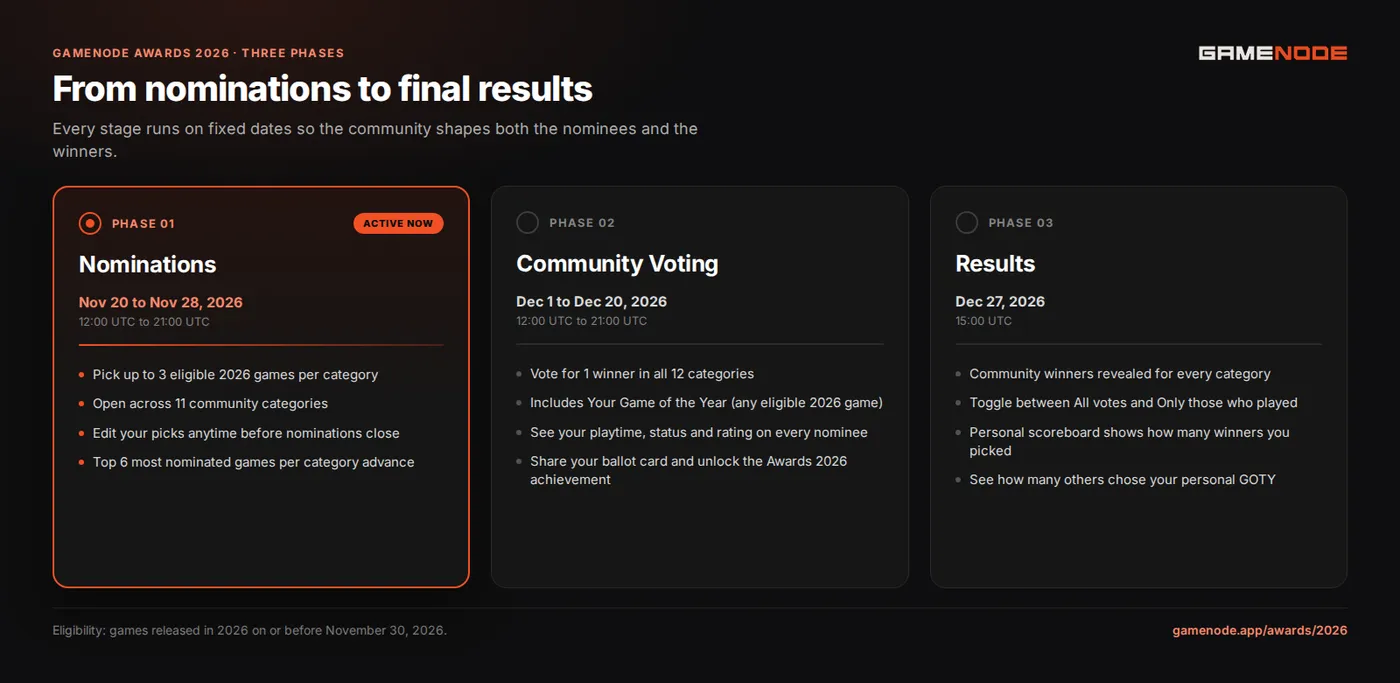
- Phase 1: Nominations (November 20 at 12:00 UTC to November 28 at 21:00 UTC). Players nominate up to 3 eligible 2026 games in each of the 11 community categories. Once nominations close, the 6 most nominated games in every category advance as the official finalists.
- Phase 2: Community Voting (December 1 at 12:00 UTC to December 20 at 21:00 UTC). With the finalists locked in, every player builds a ballot across all 12 categories: the 11 community categories plus Your Game of the Year.
- Phase 3: Results (December 27 at 15:00 UTC). Winners are revealed for every category alongside a breakdown comparing all votes against votes from players who actually played each game, plus your personal scoreboard.
Phase 1: How to submit your nominations
Head to gamenode.app/awards/2026/nominations and sign in to your GameNode account. You will see the 11 community categories listed on the left:
- Game of the Year
- Best Game Direction
- Best Narrative
- Best Art Direction
- Best Score and Music
- Best Independent Game
- Best Debut Indie Game
- Best Action/Adventure Game
- Best RPG
- Best Multiplayer Game
- Best Mobile Game
Pick any category, use Search eligible games to find titles released in 2026 up to November 30, and add up to 3 games per category. Your picks save right away, and you can add, remove, or swap games at any time until nominations close on November 28 at 21:00 UTC. You do not have to fill all 3 slots or nominate in every category: if you want to skip a genre you did not play this year, just click Next category.
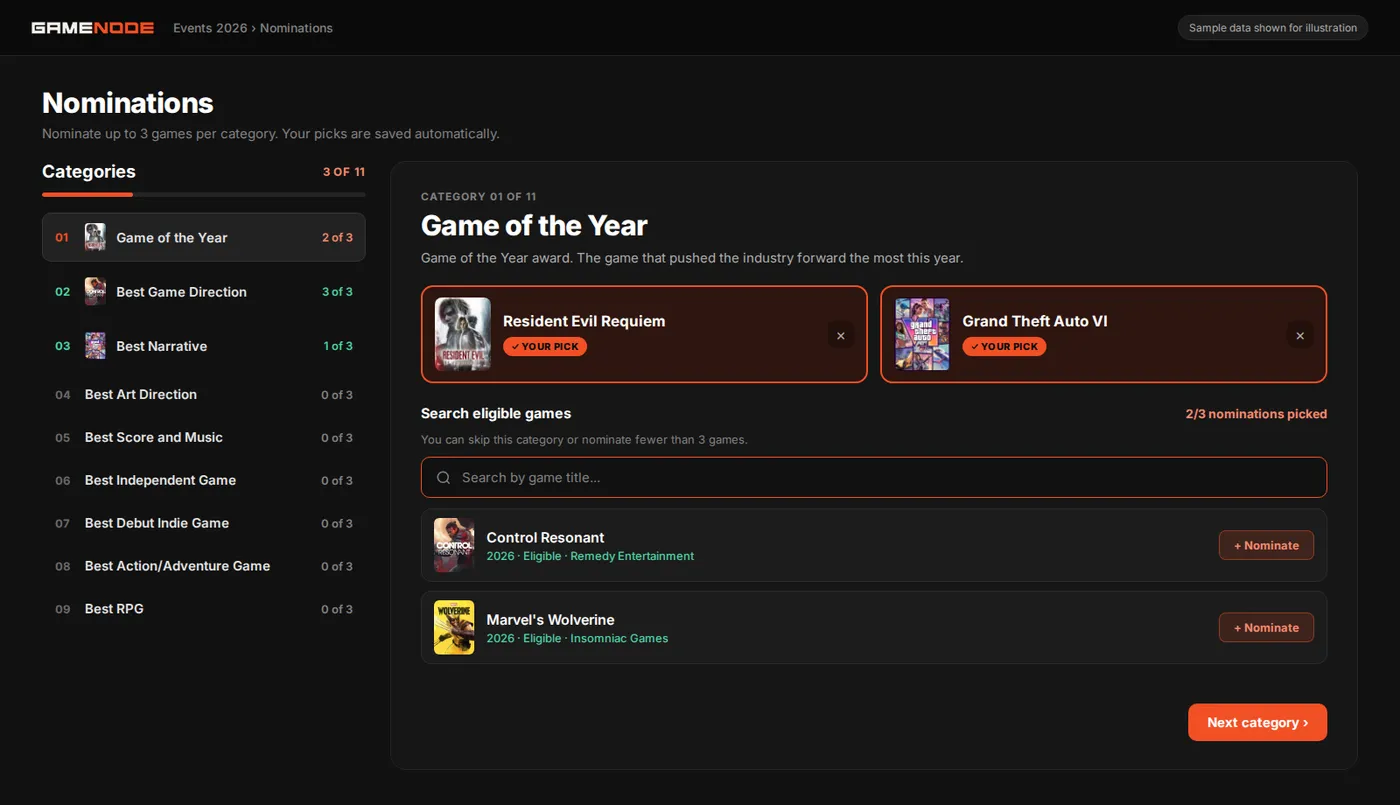
You might notice that Your Game of the Year does not appear during nominations. That category is your personal pick during the voting phase, where you can choose any eligible 2026 game regardless of who made the community shortlist.
Phase 2: How voting works
When community voting opens on December 1 at 12:00 UTC, open gamenode.app/awards/2026/vote to build your ballot across all 12 categories. Here is how each step works:
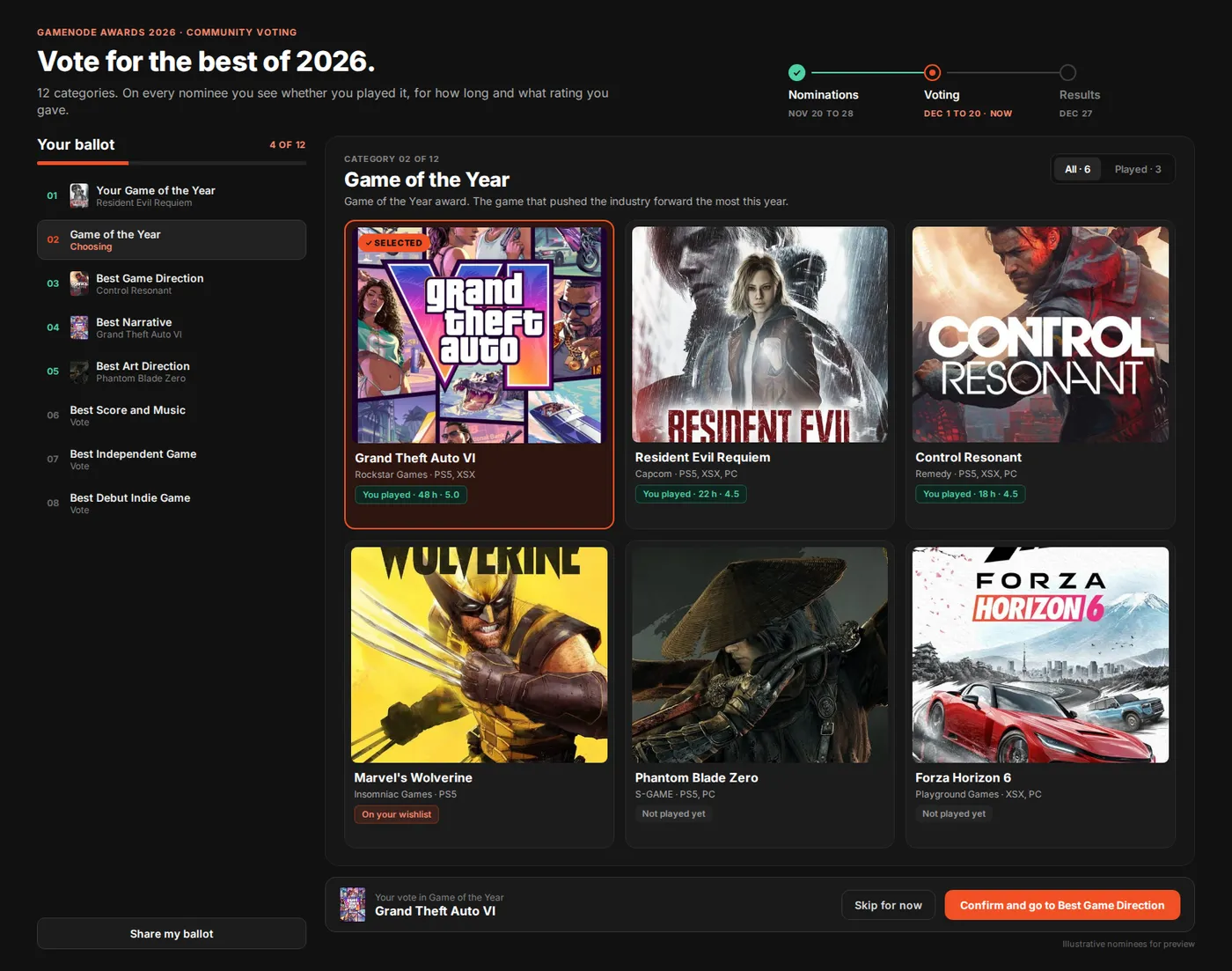
- Sign in and open your ballot. The sidebar tracks how many categories you have completed out of 12, and lets you jump to any category in any order.
- Review nominees with your library context. In each of the 11 community categories, you will see the 6 finalists chosen during nominations. Every card automatically shows whether you played the game on GameNode, how many hours you logged, what rating you gave it, or whether it is on your wishlist. You can also toggle between All and Played at the top of the panel to focus on games you have played.
- Pick and confirm your vote. Click a nominee to highlight it, then press Confirm and go to the next category in the bottom bar. Need more time to decide? Hit Skip for now and come back later. You can change any vote whenever you want until voting closes on December 20 at 21:00 UTC.
- Choose Your Game of the Year. Unlike the other 11 categories, Your Game of the Year lets you search and vote for any eligible 2026 game. If you have logged ratings or playtime in 2026, GameNode also suggests a pick based on your highest-rated and most-played eligible game of the year.
Share your ballot and unlock the Awards 2026 achievement
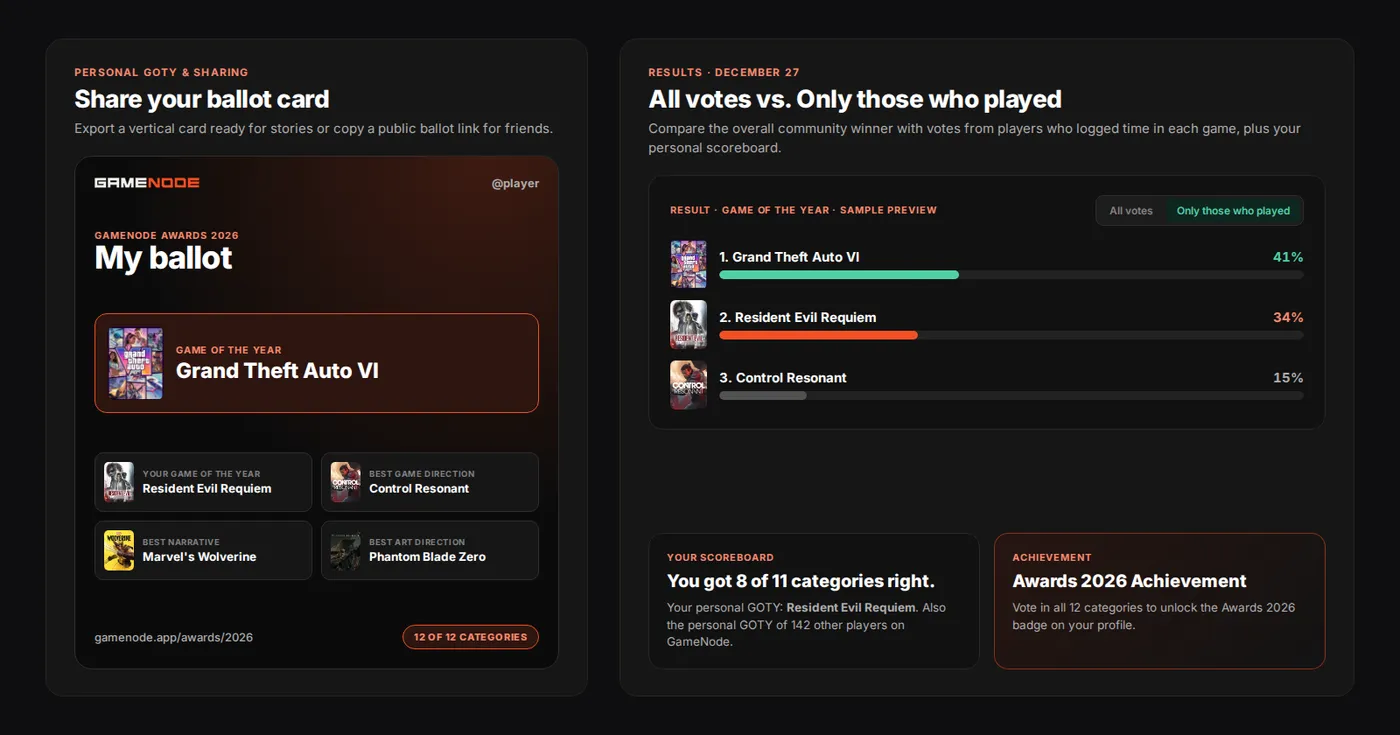
At any point during voting, click Share my ballot to generate a vertical story card with your picks or copy a public link so friends can browse your ballot. If you complete all 12 categories before voting closes, you also unlock the Awards 2026 achievement on your GameNode profile.
Phase 3: Results and your personal scoreboard
On December 27 at 15:00 UTC, the winners go live at gamenode.app/awards/2026/result. Alongside the overall community ranking, GameNode lets you switch between All votes and Only those who played, so you can see how the race looks when counting only players who actually logged playtime or played status for the games.
You will also get a shareable scoreboard showing how many of the 11 community winners you picked correctly, plus a card highlighting how many other GameNode players chose the same personal Game of the Year as you.
Start nominating today
Nominations close on November 28 at 21:00 UTC, and the games you pick right now directly decide who reaches the ballot on December 1. Jump in, nominate your favorites of 2026, and help shape this year's lineup.
Recent blog posts
Tags